LoL.ai
← BackRole: UX/UI Designer - Research, Prototyping · Duration: 2 weeks · Tools: Figma, Figma make, Perplexity AI
An AI-assisted replay analysis experience for League of Legends players that helps them identify key moments, understand recurring mistakes, and improve faster.
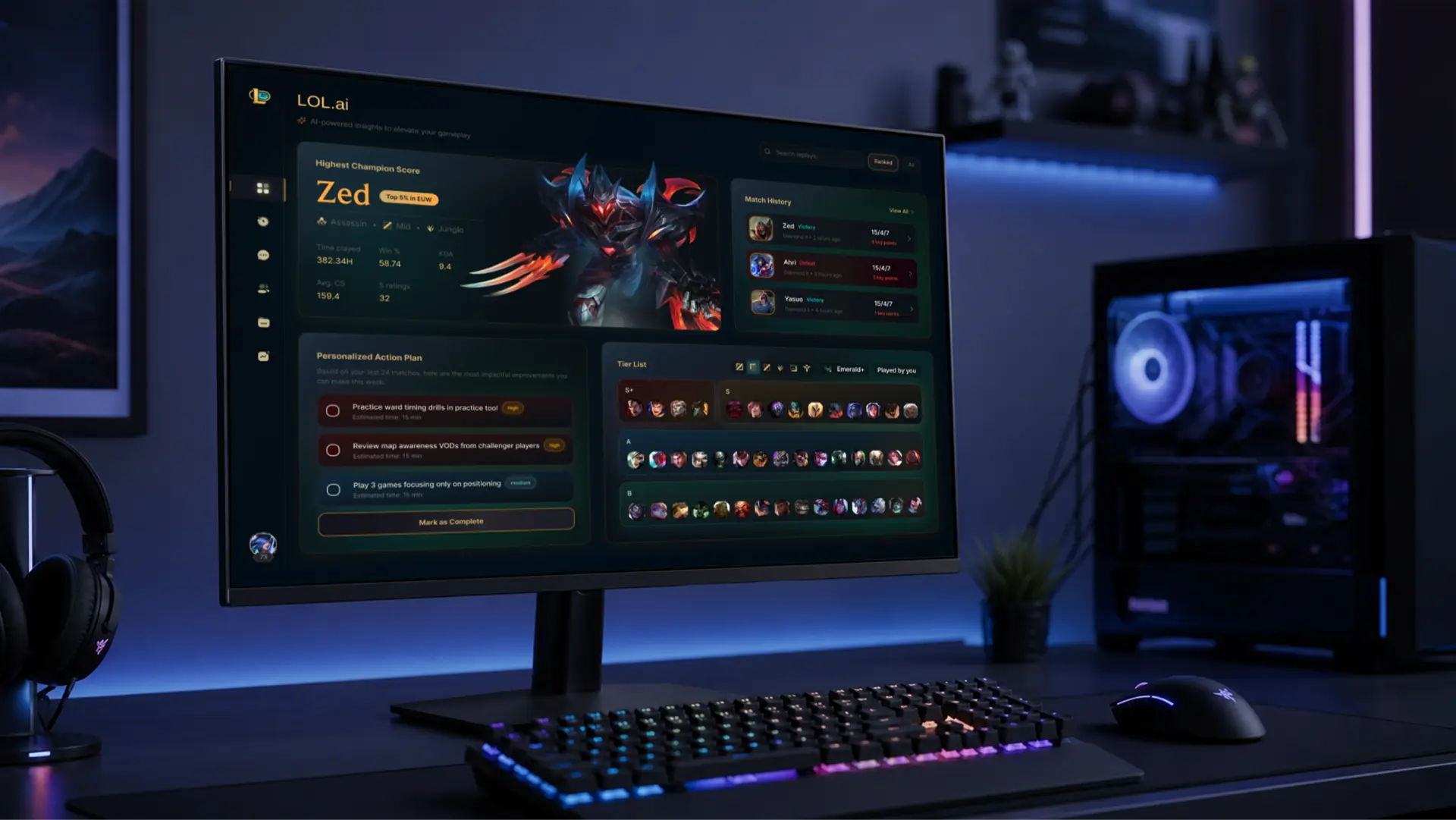
Overview
My Process
Research
Why players don't review replays
The opportunity
Monthly active League players
Players in the lowest ranks
Below Diamond tier
Average game length in ranked
Competition & Benchmarking
Before designing anything, I mapped the existing landscape of League of Legends companion tools. The goal wasn't to replicate what already exists — it was to identify where current tools succeed, where they fall short, and where LoL.ai could sit in the ecosystem.
The existing tools
I benchmarked four major tools that together represent the dominant third-party League ecosystem:


What works well
Mobalytics — Their GPI system is the most sophisticated performance framework available. It deconstructs a player's skills into 8 dimensions and provides a visual radar chart that functions almost like a performance fingerprint. Their post-game summaries surface timestamps for best and worst moments — the closest existing feature to what LoL.ai does.
Porofessor — Excels at pre-game preparation. The in-game overlay shows real-time gold per minute, vision, and level comparisons against a benchmark player (e.g., "platinum average"), with colour-coded feedback that lights up green when you're on track and red when you're behind. This live, comparative feedback is highly effective within a single match.
OP.GG — The gold standard for speed and simplicity. Its clean interface makes stat lookup frictionless, which is why it remains the most widely used tool among casual and competitive players alike.
Design implications
1.AI surfaces only the 3–5 most important moments — not every event.
2.Each insight includes a "why" explanation — addressing the data overload problem coaches report with AI systems.
3.Progress is tracked across sessions — because research shows players want validation of growth, not just raw feedback.
Where they fall short
Post-match replay analysis is superficial or absent
Mobalytics comes closest with Smart Highlights, but these still require manual timestamp navigation and interpretation. None of the four tools offer a fully curated, AI-explained replay experience where the system walks the player through the 3–5 moments that determined the outcome.
Data is presented, not explained
OP.GG and U.GG excel at surfacing large volumes of stats — win rates, builds, tier lists — but stop short of translating data into actionable behaviour. A player might see their Vision score is "Developing" on Mobalytics, but the tool doesn't walk them through the specific game where a vision gap cost them the objective.
No tool connects pre-game, in-game, and post-game into one coherent loop
Porofessor handles pre-game and in-game well. Mobalytics handles post-game and trend tracking well. But no single tool closes the full loop — understanding a past mistake, preparing before the next match, and tracking whether behaviour actually changed.
Information density creates cognitive overload
Porofessor's overlay displays gold per minute, KPC, vision, level comparison, jungle timers, and matchup data simultaneously. This density works mid-game but doesn't translate to post-match learning. Community discussions note that tools "perform the same tasks" without explaining why a behaviour should change.
The Solution
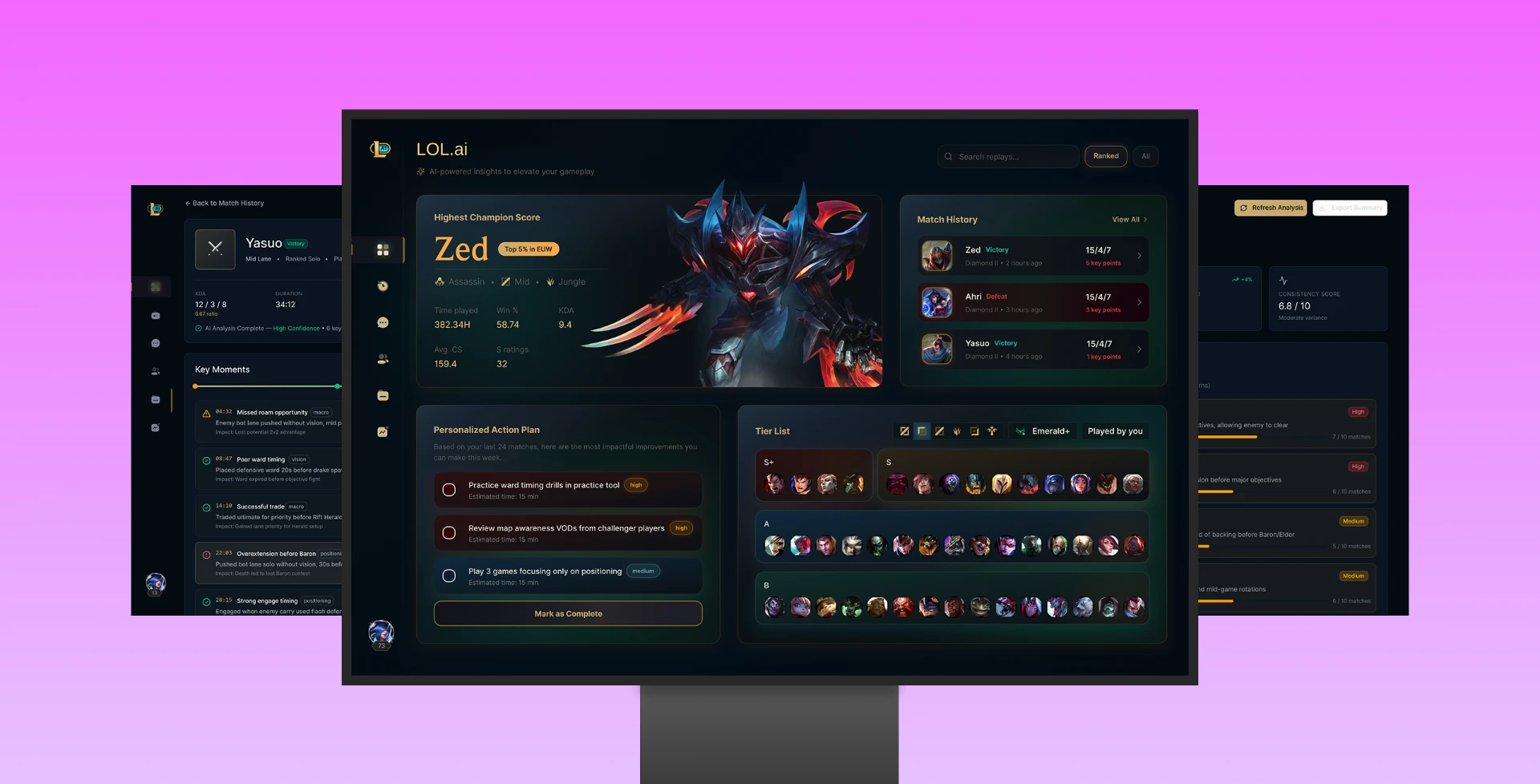
Information Architecture & Navigation
The navigation wasn't guessed — it follows how League players already think about improvement. Players don't think in abstract categories. They think in a temporal sequence: What just happened? What's in my history? Let me look at one game. Am I getting better? This informed the five-item sidebar: Dashboard, Match History, Replay Analyser, Progress, Settings — which follows the natural post-game workflow from summary to deep-dive to long-term tracking. Three principles guided the structure:
Recognition over recall
In a post-match state, players are fatigued. The sidebar stays consistent across every screen so they never need to remember where something lives — they just look left.
Progressive disclosure
The game generates enormous amounts of data. Rather than presenting it all at once, the IA layers depth across three screens: Dashboard shows a snapshot, Match History shows scan-level data, Replay Analyser shows full depth. Each screen answers one question well.
Familiarity over novelty
Every major League tool — OP.GG, Mobalytics, Porofessor — uses a left-sidebar structure. Re-inventing this would introduce friction at the one point where the player is already emotionally charged. The innovation is in the content, not the container.
An in depth look into my vision
Dashboard


Match History

Replay Analysis


Personal Improvement Summary


How I Used AI in My Design Process
1. Research & Problem Framing — Perplexity
Before opening Figma, I used conversational AI to validate the problem space and surface existing research. I asked targeted questions like: How many LoL players actually review their replays? and What metrics prove coaching tools improve ranked performance? The goal wasn't to accept the AI's answers as fact, but to identify leads — specific statistics, studies, and reports I could then verify through primary sources. AI acted as a research assistant that pointed me toward credible data, which I then cited directly in the case study.
2. Competition & Benchmarking — AI for Landscape Analysis
I used AI tools to quickly map the existing tool landscape — OP.GG, Mobalytics, U.GG, Porofessor — and identify what they do well and where they fall short. Rather than manually visiting and documenting each tool, AI helped me summarise feature sets, user reviews, and gap analysis patterns. This freed up time to focus on the actual design decisions rather than the research grunt work.
3. Visual Exploration and rapid prototyping — Figma Make
The early visual direction for the dashboard, match history, and key moment screens was prototyped using Figma Make. I provided structured prompts describing the target aesthetic — dark premium esports, gold accents, minimal hierarchy — and the output gave me a starting point to refine rather than a final design. I then manually restructured every component to match my own design system, typography choices, and interaction logic. The difference between the AI-generated starting point and the final screens reflects where human design judgment still matters: spacing, visual weight, information density, and how a player's eye moves through a data-heavy interface.
What I Learned
Less is more. Showing every data point the AI generates creates overwhelm. Curating the 3–5 most relevant insights is a design decision, not a technical one.
Transparency builds trust. Players sceptical of AI recommendations engage more when they can see the reasoning behind a suggestion.
Progress tracking matters more than single insights. A player who sees improvement over time is more likely to keep using the tool than one who receives isolated feedback.
More case studies

GeneLink - An app to connect people with their long lost relatives using state of the art DNA mapping

Electra - A digital ecosystem for booking ships and for captains to effectively view ship status

UTI Mutual Fund - A mutual fund solution for India's oldest AMC, reimaging legacy solutions